
Using Motion Blur
Using Motion Blur
Setup Motion Blur in Your Scene
Tip:
You can find details of Houdini's motion blur controls in their documentation.
Using motion blur in Houdini is very straightforward. First you must enable motion blur in the ROP node shown below.

Enabling Motion Blur
This setting allows RenderMan to render transformational motion blur (key-framed animation) in your scene.
If you need to render motion blur for simulated objects (breaking, falling, bouncing, etc) then you must enable ジオメトリ Velocity Blur on the object node. This provides the correct data for rendering motion blur in RenderMan for these objects as well as deformation blur.
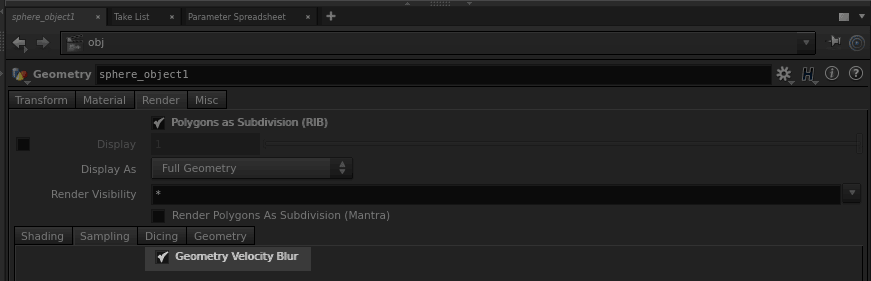
Enabling Motion Blur on Simulated or Deforming Objects